LIVE
Waveform FREE
The whole track at a glance. Tap anywhere to jump there.
Signal Desk Pro · for iPhone
A player built for mixing engineers. Pull bounces from Dropbox, Google Drive or your phone itself, check them through twelve console modes and nine meters, then share it on.
Plays a real mix in your browser, so you can hear what each mode does. Headphones are best.
Console · 12 modes
Every mix ends up somewhere you didn't mix it: a car, a phone speaker, one earbud. In the app, Signal Desk runs your track through those places. Tap a mode to engage it. Tap it again to A/B against the source.
Try them here on a real mix. Mono shows what collapses when the sides fold in. Phone Sim takes the low end away. Bass Mono, Width and Crossfeed change the image in your headphones.
Meters · 9 displays
Swipe between them while the track plays. Analog VU, Digital VU and Waveform are free. The rest come with Pro. The displays marked LIVE below read the mix playing on this page.
The whole track at a glance. Tap anywhere to jump there.
Sample-peak dBFS per channel, with a two-second peak hold.
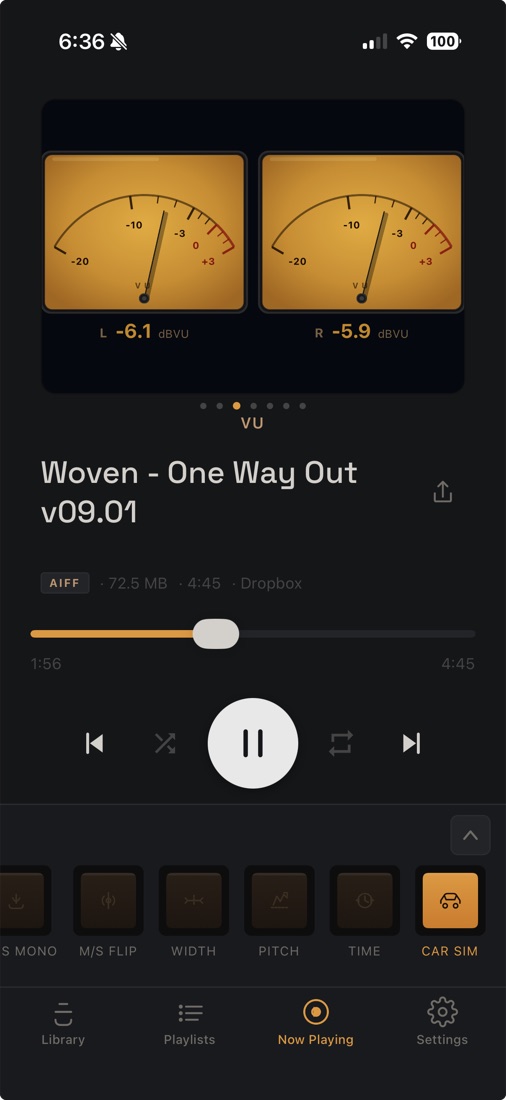
Two amber needles with real VU ballistics. The display on the faceplate above.
Where the energy sits, from sub to air.
EBU R128 momentary, short-term and integrated LUFS, plus true-peak max. Reference lines at −14, −16 or −23.
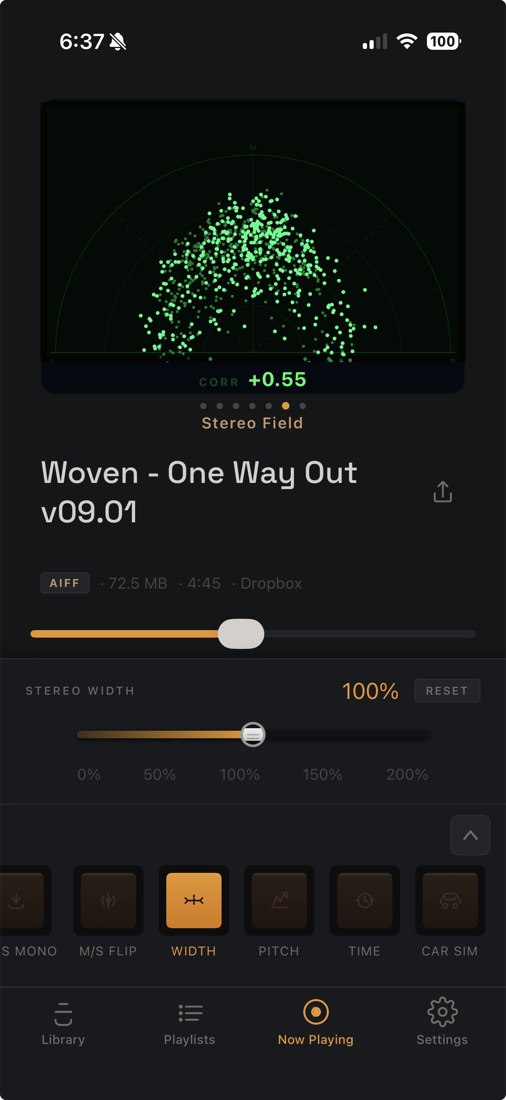
A mid/side scope with a correlation readout. Width you can see.
A vintage-style scope trace of the waveform itself.
From −1 to +1. Shows when the mix will cancel in mono.
A full-screen visualizer driven by your track. Turn the phone sideways. Tap to change the preset.
Sources
Link one Dropbox folder and Signal Desk keeps it in sync, subfolders included. New bounces come in, revisions are matched to the track they replace, and nothing is overwritten until you approve it. Synced tracks play offline.
A dedicated app folder, kept in sync. An image in a folder becomes that playlist's cover art.
Import from Google Drive, iCloud Drive or anything else in the iOS Files picker. No Google sign-in.
2 changes waiting. Choose what to bring in. Skipped items stay on the list until you decide.
Library · Export
Export any track as WAV, AIFF or AAC, then send it through the share sheet to AirDrop, Dropbox or Messages. Playlists get their own cover art from your camera or photo library. Playback continues in the background, with artwork on the lock screen, in Control Center and in CarPlay.
Plans
Reference, L/R Flip, Mono and Dim. Waveform, Digital VU and Analog VU. Every source, every export.
Everything, renewed monthly.
About $2.50 a month. The best value.
Pay once. Yours for good.
Pro adds eight console modes
And six meters
Purchased in the app through Apple. Monthly and annual plans renew automatically; cancel any time in your App Store settings. Lifetime is a one-time purchase. Prices are in US dollars and may vary by region. Restore Purchases and offer codes are in Settings.
Questions
An iPhone player for mixing engineers. It lets you reference a mix the way listeners will hear it, through console modes like Mono, Car Sim and Phone Sim, and read it on professional meters including analog VU, EBU R128 loudness and phase correlation.
WAV, AIFF, FLAC, MP3 and AAC (including M4A). You can export any track as 24-bit WAV, 24-bit AIFF or AAC.
Link a Dropbox folder and Signal Desk Pro keeps it in sync, subfolders included, and asks before replacing a track with a new version. You can also import from Google Drive, iCloud Drive or anything else in the iOS Files picker.
Yes. Synced and imported tracks are stored on your iPhone and play without a connection.
Free includes Reference, L/R Flip, Mono and Dim, plus the Waveform, Digital VU and Analog VU meters, every source and every export. Pro adds eight console modes and six meters, for $4.99 a month, $29.99 a year or $99 once.
Any iPhone running iOS 15.1 or later.
No analytics or crash-reporting SDKs are included, and your audio stays on your device. Details are in the privacy policy.
End of session
Signal Desk Pro is coming soon to the App Store for iPhone.